
How I make and use genealogy research logs
What are research logs?
Research logs are a chart where family historians record and "log" their research data/findings as they research. They can be as simple or detailed as you like and are highly customisable to your circumstances. As a professional family historian, I also use research logs to keep track of who and what I am researching, since I may be researching different subjects at once.
Here is an example:
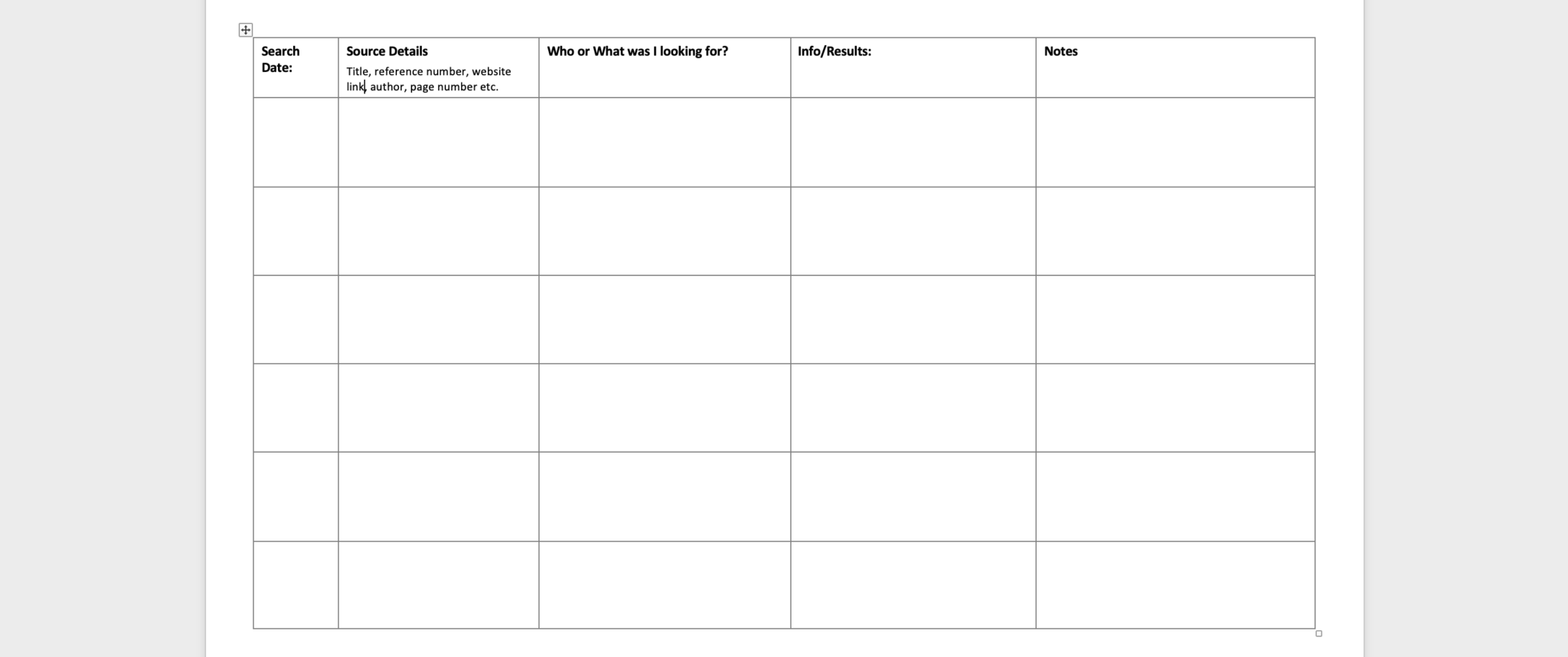
I prefer to keep my research logs online in a word processor. That way, I can easily type any details and copy and paste links or notes. The sections of the chart also automatically expand while I type, meaning I can fit as much or as little info in as I need. When I do use paper research logs, I make up a template on a word processor or draw one, then keep that prototype blank for printing or photocopying whenever I need more.
How make research logs:
Make a chart in a word processor or draw one using a ruler. If I’m making a paper version, I make sure to draw the sections of the chart nice and large to be able to fit my notes on it.
Have a good think about what you want to use the chart for, then customise the size and headings to suit your circumstances. You may wish to create different templates for different types of research - e.g a special template for researching newspapers, birth, marriage and death certificates and so on. To extend my research log, I simply photocopy or print my paper version, or copy and paste my blank prototype research log to a new page.
How I use research logs:
I keep the folder with my research logs open on my computer while I research so I can easily add info as I go. If I know I'll be adding a lot to my logs, I'll put my computer in split view mode so my internet browser and research logs are on the same screen for easily access. For each research project or ancestor, I keep a notes folder on my computer, and copy and paste my research log template there so everything is in one place.
As seen in the template above, I make a note of the date I researched, the source details, what I was looking for (sometimes I leave this blank), what I found, and any notes. I also like to add a text box at the top of the page to list the ancestor, family line or research project I am working on.
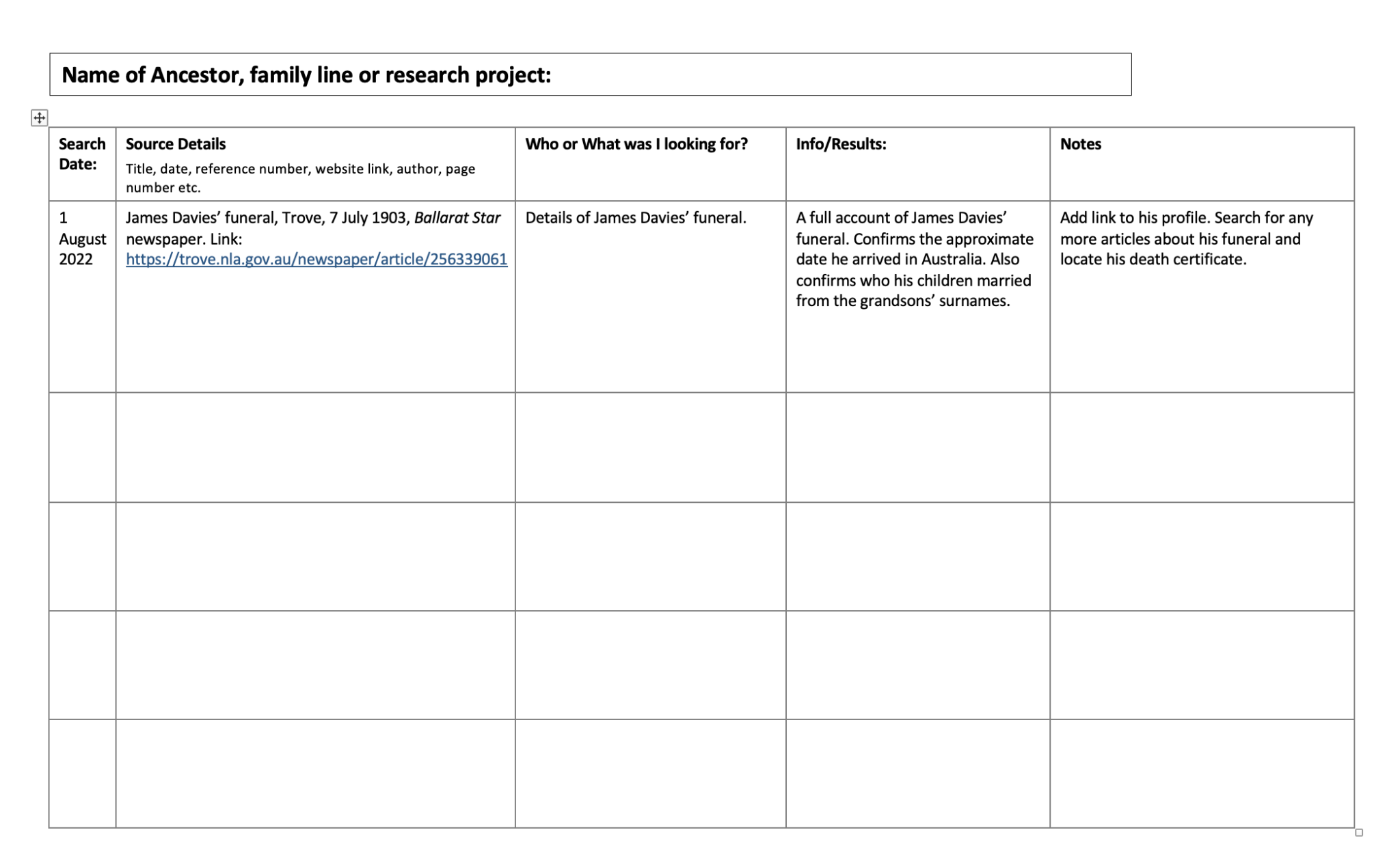
Here is a finished research log entry I made earlier:
Benefits of using research logs:
At first glance, research logs can seem very tedious and a lot of hard work. But, they actually save so much time and prevent me from losing important research information because I forgot to bookmark it, accidentally closed the browser tab, or forgot where I wrote it down. Research logs take care of all these issues and ensure everything is neatly stored in one place, ready to refer to whenever I need it.
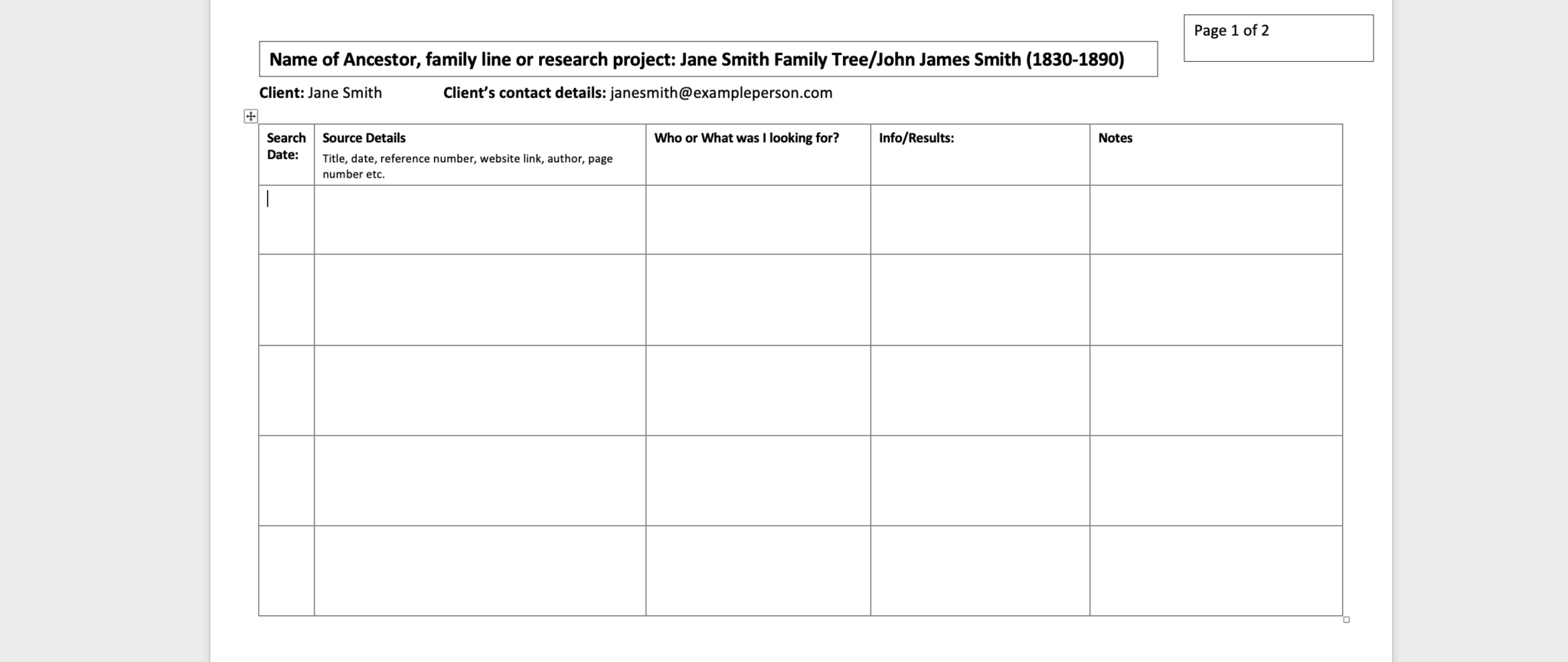
On a professional note, I also like to keep research logs because they are a huge mark of respect to clients. It shows that I am taking the time to make notes of what I am researching and means I don't lose vital information that they are paying me to research for. Also, I can send the research logs to the client to give them a friendly update of what I have found so far and where I intend to search next. Here is an example of a professional research log:
Until next time.
Best wishes,
Liliana